Download media. Keep it simple.
A straightforward Windows desktop application for managing supported media downloads, with quality selection, playlist support and a clean interface.
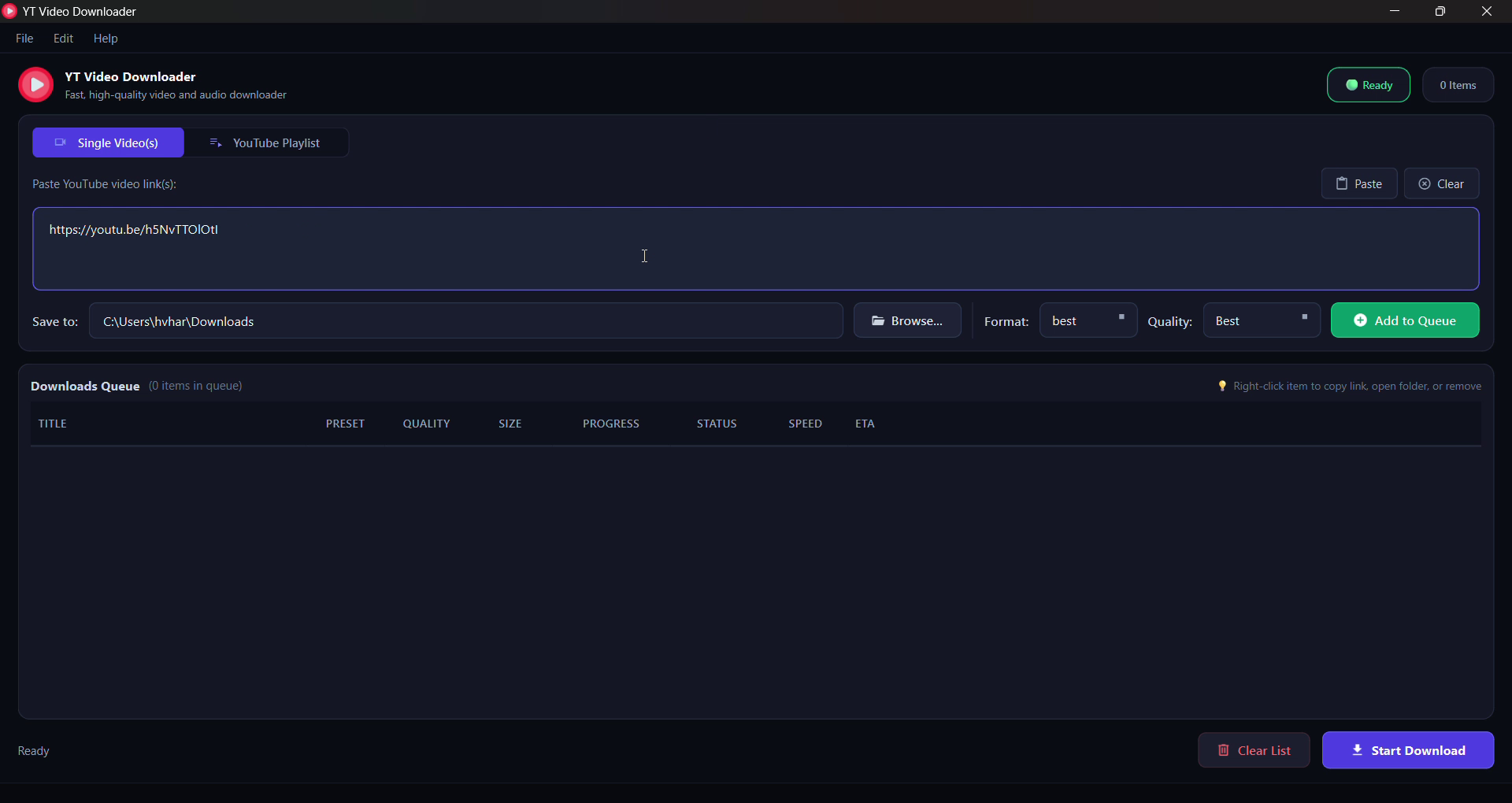
Built for practical desktop downloads
Focused tools for single videos, playlists, and audio extraction without command-line friction.
Video quality selection
Select the exact resolution you need, from 144p up to 8K where supported by the source.
Selected preset: 7680x4320 (when available)
Playlist support
Inspect playlists before downloading so you only fetch the tracks you want.
Audio extraction
Extract audio tracks directly to MP3 without running separate conversion commands.
Batch download queue
Queue multiple URLs at once and monitor every transfer in a single table.
Windows desktop application
A native dark-themed desktop interface built with Python and PySide6 (Qt).
Automatic dependency setup
Required backend tools are downloaded and verified automatically on first launch.
How it works
Three straightforward steps from launch to downloaded files.
Open the application
Launch YT Video Downloader from your Start Menu or portable folder. On first run, required tools (yt-dlp, FFmpeg, Deno) are set up automatically.
Add a supported media URL and select options
Paste one or more supported URLs, or open the YouTube Playlist tab to inspect tracks. Choose your output folder, format preset, and quality.
Manage the download from the queue
Add items to the queue and click Start Download. Track progress, transfer speed, file size, and ETA directly in the queue table.
Current release: v1.0.1
Download for Windows
Choose between the standard Windows installer or the self-contained portable archive. Both target 64-bit Windows 10 and Windows 11.
Standard Windows wizard installer. Creates Start Menu and Desktop shortcuts, registers in Windows Settings, and requires no administrator privileges.
Zero-installation archive. Extract anywhere (including USB drives). All settings and binaries stay inside the local data/ folder with zero registry footprint.
Frequently asked questions
Common questions about installation, SmartScreen, dependencies, and updates.
Yes. YT Video Downloader is completely free to download and use, with no subscriptions, ads, or feature paywalls.
Yes. The entire source code and automated release workflow are publicly available on GitHub under The Unlicense (public domain).
YT Video Downloader supports 64-bit editions of Windows 10 and Windows 11 (x64).
The Windows Installer (YT-Video-Downloader-Setup.exe) sets up Start Menu and Desktop shortcuts, registers an uninstaller in Windows Settings, and stores configuration in %LOCALAPPDATA%\yt-video-downloader. The Portable Version (YT-Video-Downloader-Portable.zip) runs from any folder or USB drive, keeps all settings and dependencies inside its local data\ directory, and leaves zero registry entries.
Windows Defender SmartScreen can display a warning for applications that are not signed with an expensive enterprise code-signing certificate or are newly released. You can inspect the open-source code and GitHub Actions build logs on GitHub, and verify file SHA-256 checksums on the Download page before running.
The standalone Windows releases bundle Python and PySide6, so you do not need Python installed. On first launch, the app automatically downloads yt-dlp, FFmpeg, FFprobe, and Deno into its binary directory.
Open an issue on the GitHub repository's Issues page. Include your Windows version, the app version, steps to reproduce, and relevant lines from debug.log (accessible via Help > Open Log Folder inside the app).
Download the latest Windows Installer or Portable ZIP from GitHub Releases and install or extract over your existing copy. The underlying yt-dlp engine can also self-update directly.